

16 Mar Software GPS Tracker
The GPS Logistic system now offers an option for mobile devices (smartphones or tablets) to be registered as trackable assets (employee GPS trackers) in the GPS tracking software.
To do this, the following steps must be performed:
1. Contact us at e-mail: sales@gpslogistic.net or by phone at +359877721999 to receive an offer for the requested number of profiles (mobile devices) for monitoring in GPS Logistic, as the service is associated with monthly subscription fee.
2. Obtaining credentials which the employees have to use on the mobile devices that will be monitored.
Attention! The users of the mobile devices (smartphones or tablets) have to manually (via a button in the application) select when their location and movement route should be tracked, and when their location monitoring must be stopped. The tracker does NOT support an option for hidden (carried out without the consent of the mobile device user) GPS positioning.
Note: The mobile phones or tablets of the tracked employees must have an active subscription plan with a GSM operator, with enough megabytes of monthly internet data traffic included, in order to cover the requirements of the service. The mobile phone or tablet must have a built-in GPS positioning option and the most up-to-date version of the Android operating system.
We continue the article with an example of what the software GPS tracker service looks like in practice. For this purpouse, we will analyze key records of the working day of a data collector of electricity consumption measuring devices:
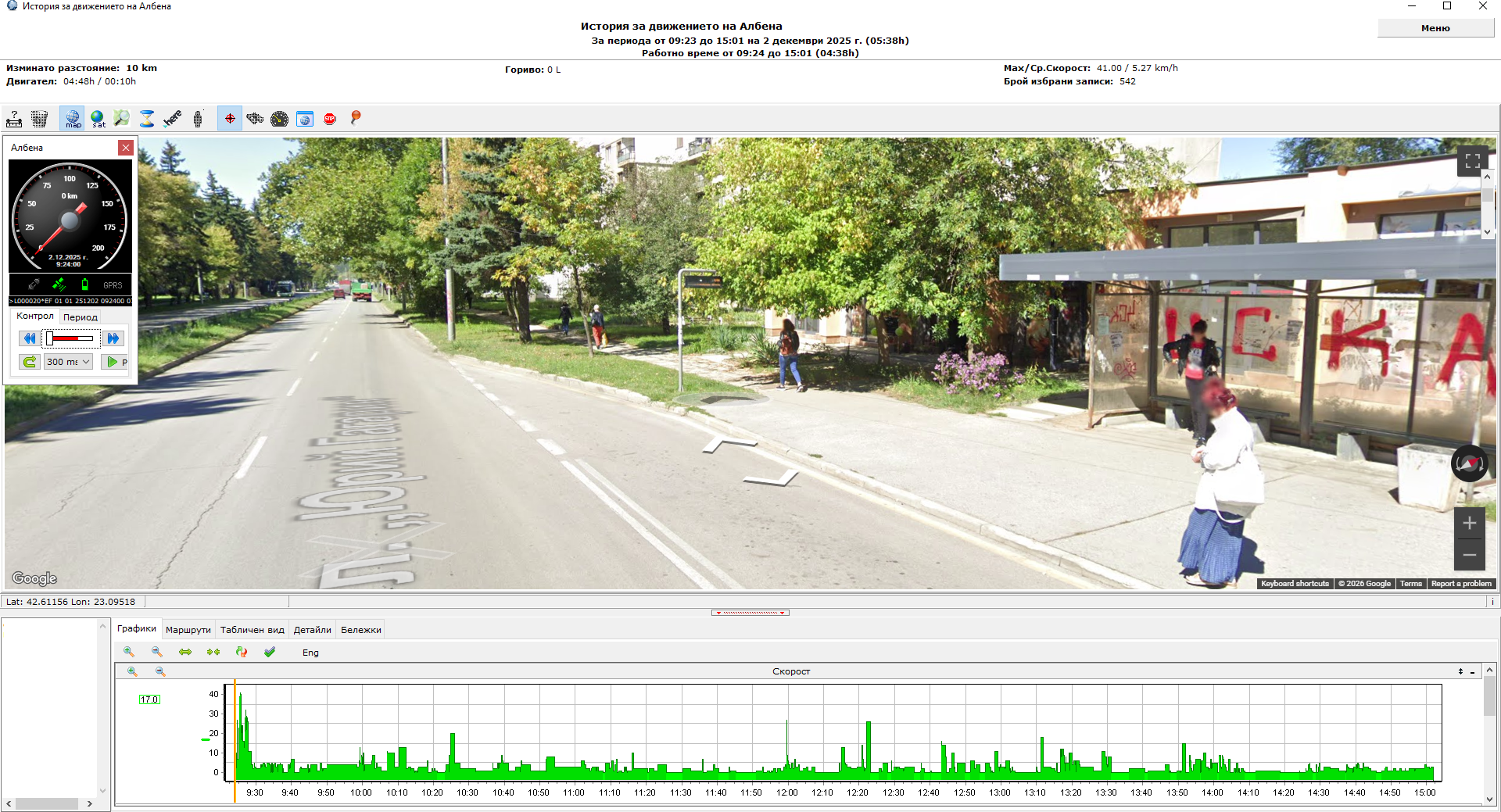
1. The employee’s workday begins at 09:24 at a bus stop in the respective city (the software GPS tracker is launched on the accountant’s mobile device):
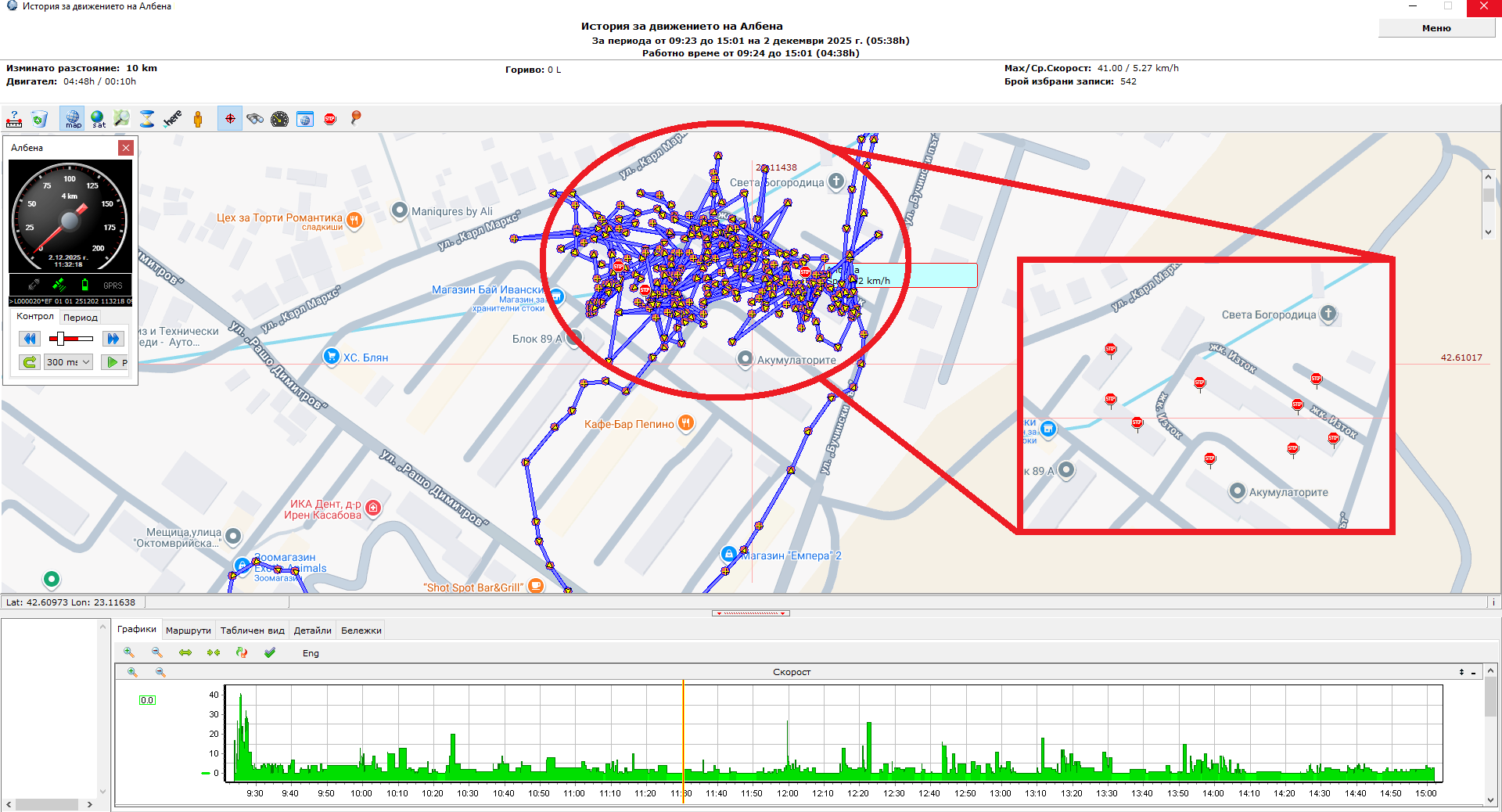
 2. From 09:35 to 14:35 the employee is at his assigned data collection location (several buildings in a city neighborhood) and visits the respective addresses (the software tracker is ON throughout the entire task):
 3. At 15:02 the employee is at the bus stop and turns OFF the software GPS tracker to stop it from tracking him further (his working day has ended and the report has been successfully recorded):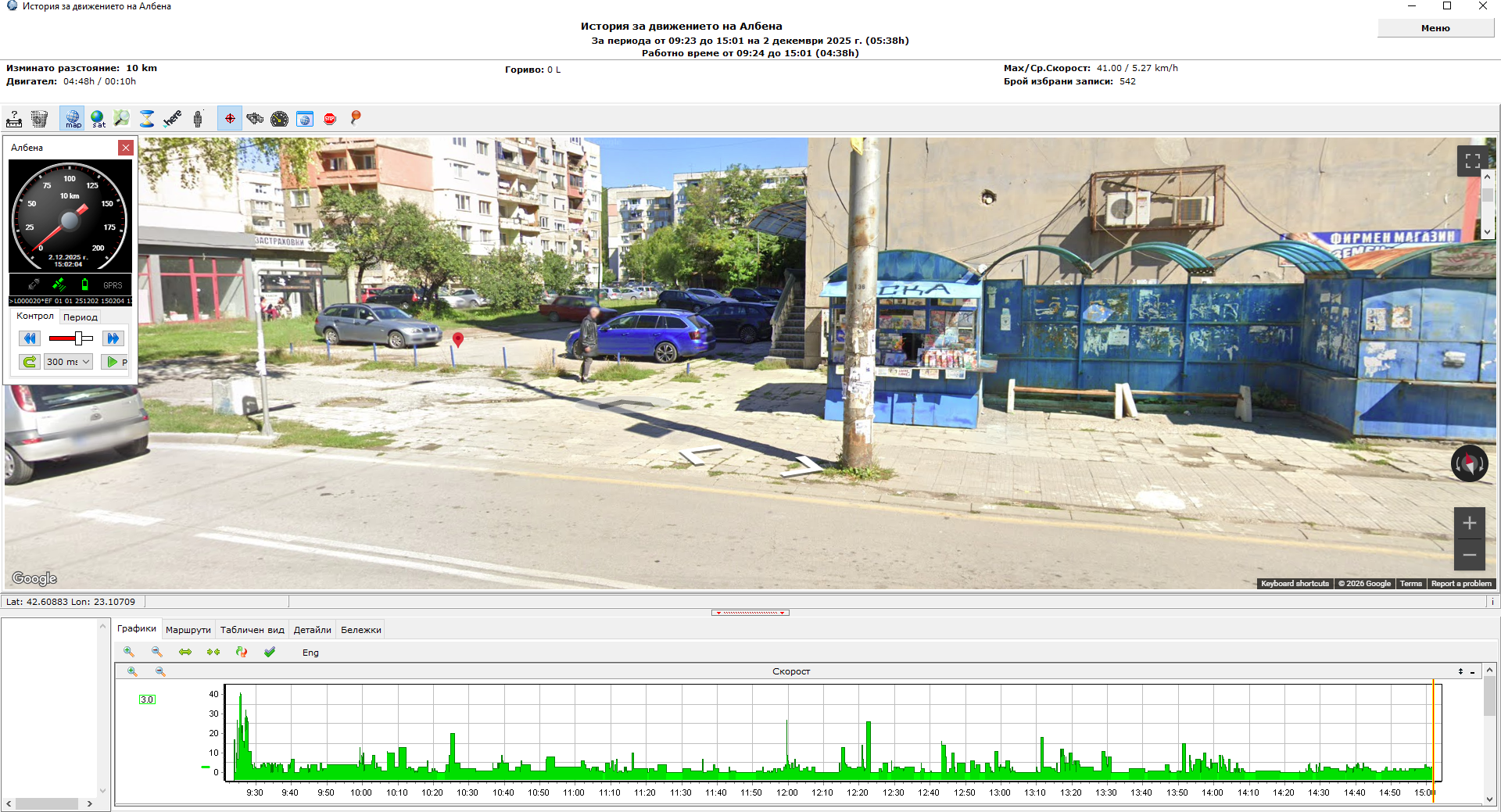
In the presented excerpt from a work report, we gave a clear example of how the route data is interpreted by the GPS Logistic system. The collection of data readings in the sites entrusted to the accountant of the company was performed and recorded using the software GPS tracker, and his manager can easily check how his working day went by following the map trace in the GPS report.
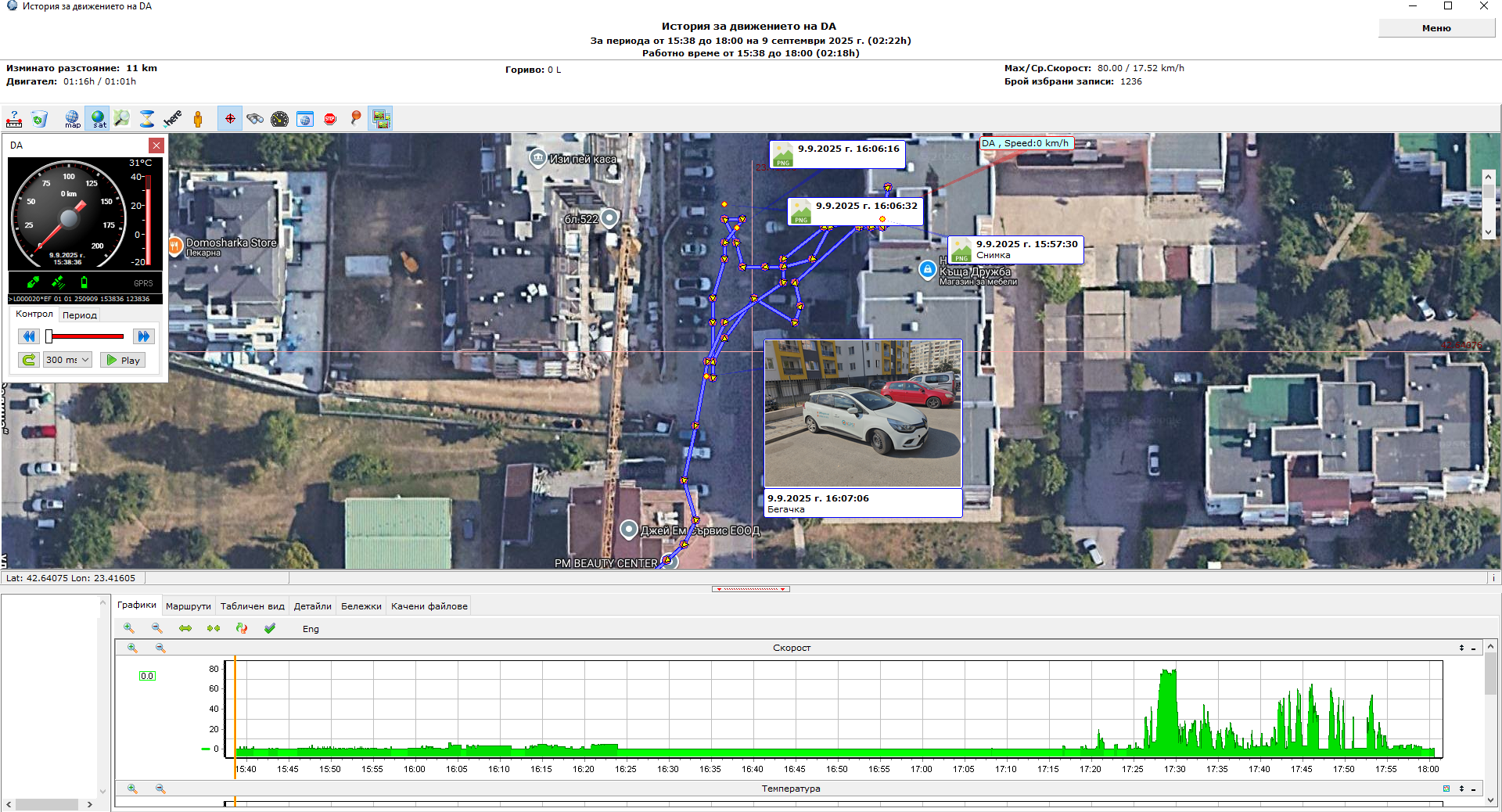
As an additional option, the software GPS tracker, allows the enclosement of photos (directly taken from the employee’s phone or tablet), which the GPS system attaches to the corresponding locations from the trace on the map. The last photo is an example from our colleague, declaring that he parked his company car in good condition at the end of the working day:
If you are an employee of an organization that already uses the Advanced GPS Technology software AGPS Tracker, you can download a visual instruction for the proper use of the application from HERE. If you want to install it on your mobile device, you can download the app from the Google Play Store – from HERE (and installation instructions can be downloaded from HERE).